

Utilities
CoreAura
See live CPU, memory, storage, battery, network, drive, and connected-device signals in one Mac dashboard.
$2.99
Available on Mac
- Mac
Prices can vary by region. The App Store shows the current price.
A closer look
See more of CoreAura.

About CoreAura
Live system stats and signals
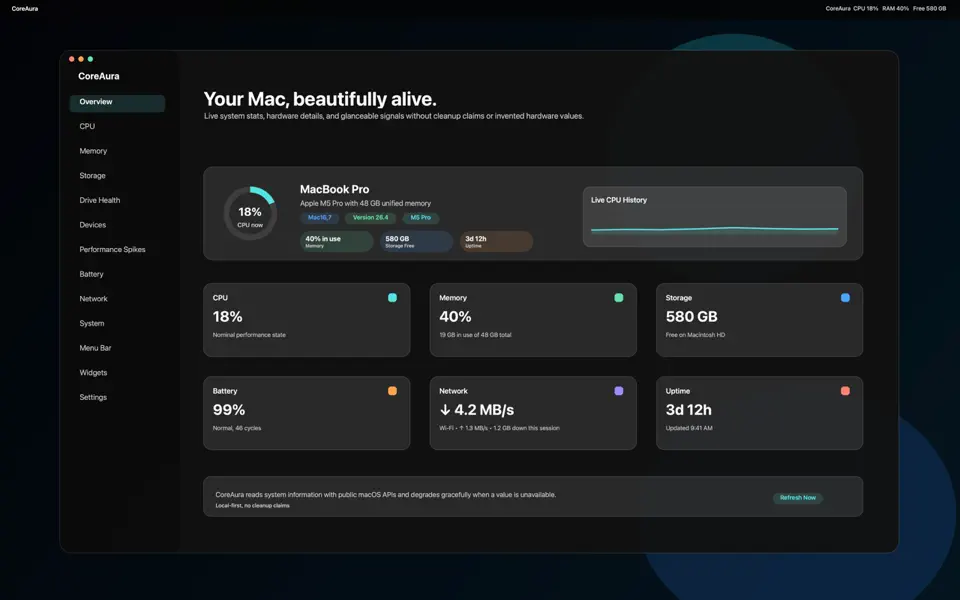
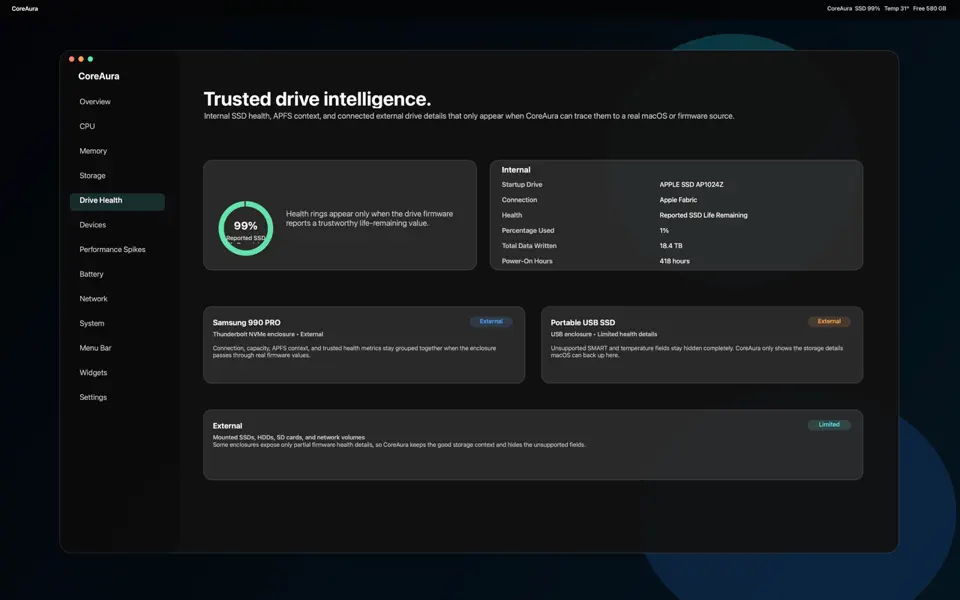
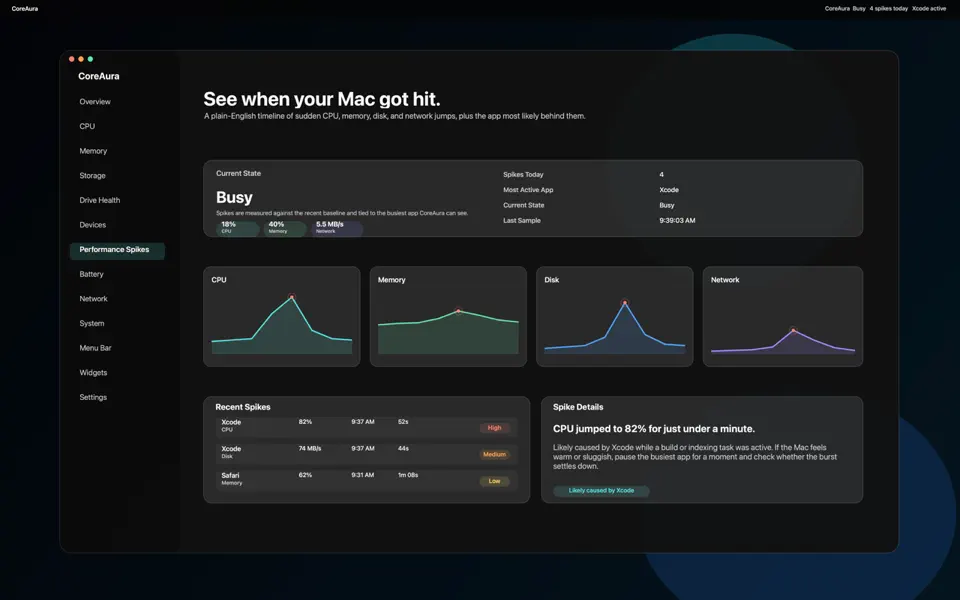
CoreAura is a polished Mac utility for people who want clear system insight without noisy cleaner claims Watch live CPU, memory, storage, battery, network, and system status in a premium dashboard built specifically for macOS. Track performance spikes across the live session, review trusted drive health details when the Mac or drive firmware reports them, and see what external devices are physically connected right now.
CoreAura also includes desktop widgets and an optional menu bar extra so favorite Mac stats stay close even when the main app window is out of the way.
CoreAura does not claim to clean RAM, boost performance artificially, remove malware, repair macOS, or delete user files automatically.
Highlights
What CoreAura does best.
- 01
Live Mac performance and system-status dashboard
- 02
Session views for performance spikes and reported drive health
- 03
Desktop widgets and an optional menu bar extra
How it works
Step by step.
- Open CoreAura to see current Mac system signals.
- Watch the live session for performance changes and connected devices.
- Pin favorite stats in widgets or the optional menu bar extra.
Privacy at a glance
What happens to your data.
CoreAura analyzes Mac status locally and does not require an account or send monitored device data to a developer service.
FAQ
Common questions
Why is a reading missing or different from another utility?
Some sensors and battery, drive, network, or peripheral details are not available on every Mac or macOS version. CoreAura reports what macOS exposes and different utilities can sample or calculate values differently. A missing or unusual reading does not by itself diagnose a hardware problem.
How do I update widgets, menu-bar items, or drive alerts?
Open CoreAura to refresh its shared widget snapshot, confirm the widget is installed, and check macOS notification permission for drive alerts. Widget and menu-bar updates can be delayed by macOS. Restarting the app or re-adding the widget can refresh stale presentation state.
Is CoreAura a repair, cleaner, security scanner, or authoritative diagnostic tool?
No. CoreAura is an informational monitor. It does not repair hardware, remove malware, clean storage, or delete your files automatically. If you run the optional storage-speed check, CoreAura creates and removes a temporary test file. It does not replace Apple diagnostics or professional service.
Who handles App Store billing or refund requests?
Apple processes App Store purchases and eligible refund requests and does not provide CoreAura with your full payment-card details. Use Apple’s Report a Problem service or Apple Support for a billing or refund request. Contact CoreAura support for an app-function problem.
Why can Storage Map not read a folder?
Choose or reselect the folder in Storage Map so macOS grants sandbox access. Full Disk Access does not replace selecting a folder. Use Clear Grant to remove CoreAura’s saved authorization, then select the folder again if needed. For launch-at-login issues, check System Settings > General > Login Items.
Related apps
You might also like.

NightKeep
Protect and organize sensitive files in a local, encrypted vault on iPhone, iPad, and Mac.
Learn more $2.99
VirtualCam Pro
Build custom video-call scenes with backgrounds, avatars, badges, lower thirds, and saved looks.
Learn more $2.99
CloudNest
Choose the Mac files that matter, keep scheduled versioned snapshots, and restore individual files or folders.
Learn more $2.99Support and privacy