

Business
RouteMint
Log business mileage, follow reimbursement status, and export polished PDF or CSV records.
$0.99
Available on iPhone
- iPhone
Prices can vary by region. The App Store shows the current price.
A closer look
See more of RouteMint.
About RouteMint
Mileage & Reimbursement
RouteMint helps professionals log business mileage, stay on top of reimbursement status, and export polished records without digging through spreadsheets.
Track trips in seconds
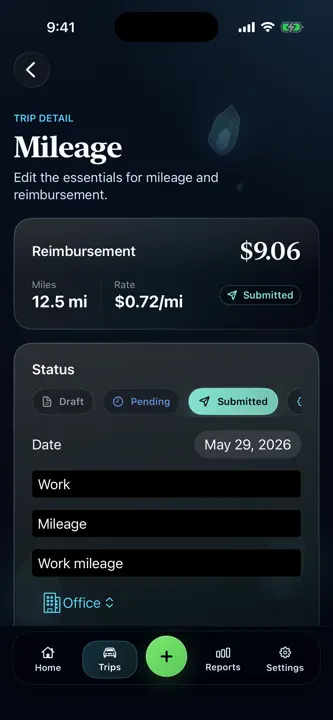
Log mileage, rate, date, purpose, and business details from one clean workflow built for iPhone.
See the numbers that matter
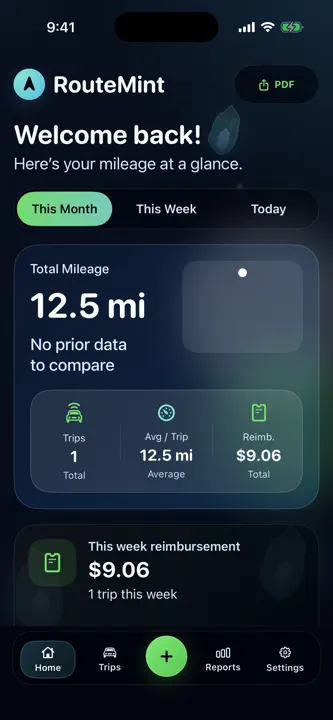
Open Home for a quick snapshot of total miles, average trip distance, reimbursement totals, and recent activity.
Keep your trip log organized
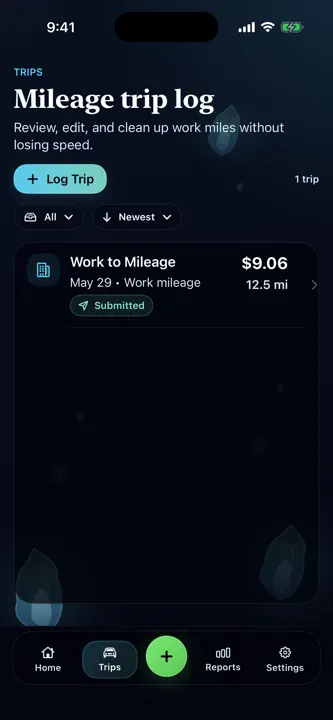
Review trips in a compact list, filter by date range, sort newest or oldest, and update reimbursement status as work moves from draft to submitted, approved, and paid.
Export cleaner records
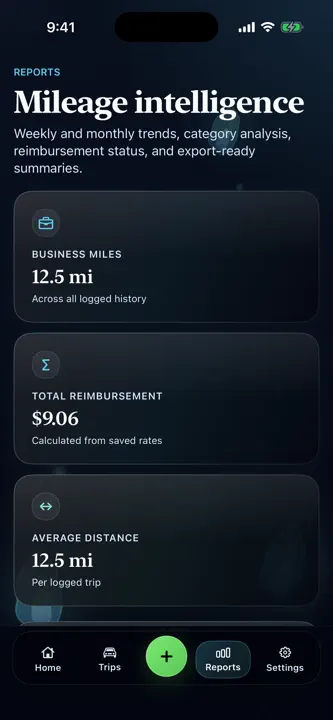
Create PDF and CSV exports for reimbursement, reporting, and recordkeeping with a polished presentation.
Read more
Customize your workspace
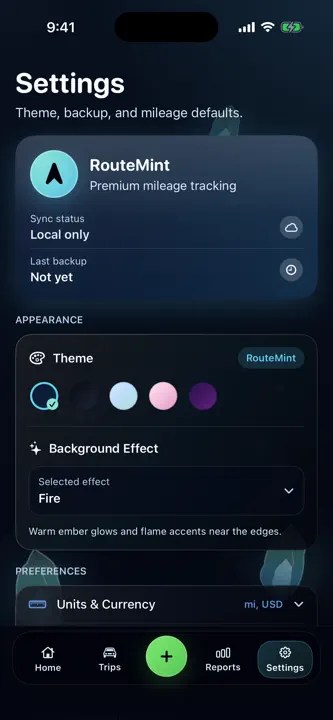
Choose the look that fits you with multiple themes, background effects, vehicle-rate settings, and unit preferences.
Built for simple mileage management
RouteMint is designed to make daily mileage tracking feel fast, focused, and easier to review before submission time.
Highlights
What RouteMint does best.
- 01
Fast trip logging with mileage, rate, purpose, and business details
- 02
Reimbursement status from draft through paid
- 03
PDF and CSV exports for reporting and recordkeeping
How it works
Step by step.
- Log each business trip with its mileage and purpose.
- Review totals and update reimbursement status as work progresses.
- Filter the records you need and export a PDF or CSV.
Privacy at a glance
What happens to your data.
RouteMint stores mileage and reimbursement records you enter, with optional Apple identity and iCloud key-value sync. It does not use GPS or connect to banks. Current trip summaries are created on your device from the records you enter.
FAQ
Common questions
Why does mileage or reimbursement differ from my employer or tax result?
RouteMint calculates from the trips, rates, dates, vehicle details, and categories you enter. It does not track GPS or know employer policies, eligibility rules, tax law, or supporting-document requirements. Confirm the correct rate and treatment with your employer or qualified tax professional.
Why is a trip missing on another device?
If you enabled iCloud sync, confirm both devices use the intended iCloud account and have network access, then allow time for Apple’s key-value synchronization. Optional Sign in with Apple provides app identity but is not a GPS or bank connection. Resolve any conflicting edits carefully before exporting.
Where are RouteMint’s trip summaries created?
RouteMint creates summaries on your device from the trip details you enter. Trip text is not sent to a developer-operated server to create those summaries. Always review suggested text and calculations before relying on or sharing them.
Who handles App Store billing or refund requests?
Apple processes App Store purchases and eligible refund requests and does not provide RouteMint with your full payment-card details. Use Apple’s Report a Problem service or Apple Support for a billing or refund request. Contact RouteMint support for an app-function problem.
Can iCloud sync overwrite a newer trip?
Yes. Optional sync sends one whole snapshot through Apple’s iCloud key-value service and uses the newest snapshot as the winner. Simultaneous edits on different devices can replace older data rather than merge field by field. Export a current CSV or PDF before multi-device edits and verify the receiving device before deleting anything.
Related apps
You might also like.

DebtLens
Make monthly debt check-ins clear, compare payoff strategies, and see progress at a glance.
Learn more $2.99
TaxNest Pro
Log independent income, estimate a reserve, and see what may be safe to spend without linking a bank.
Learn more $1.99
SiteSign Off
Quote the work, prove the job, collect customer signatures, and send a clean closeout report.
Learn more $2.99Support and privacy